You don't have to be a developer or know CSS to build a website. Here's how I used Notion AI, Super MCP, and Super's In-App Chat to turn a simple business idea into a website.
I've always thought that creating a website required at least some knowledge of coding. You would need to understand HTML, CSS, or other technical stuff just to make your website look the way you wanted.
But after experimenting with Super and its AI features, I realized that things have become a lot easier, especially for people who don't have a technical background.
For this little experiment, I wanted to see how far I could go in building a website without writing a single line of code or touching a stylesheet.
And honestly? I was pretty happy with the results!
Here's how I did it.
1. Start With an Idea
Before opening Notion or Super, I first thought about what kind of website I wanted to build.
I had a few business ideas in mind, such as:
- Bags and accessories: A website showcasing handbags, backpacks, and other accessories.
- Clothing: A fashion website where visitors can explore different collections and styles.
- Food: A website for a restaurant, bakery, or small food business.
- Jewelry: A more elegant website for showcasing handmade or luxury pieces.
- Portfolio: A personal website where someone can showcase their work, experience, and projects.
I think this is one of the most important steps. You need to have at least an idea of what you're trying to achieve before asking AI to build something for you.
Every business has a different personality. A jewelry brand might need something elegant and minimal, while a clothing business could benefit from a more creative and image-focused design.
Having a clear direction makes the entire process much easier.
2. Connect Super MCP and Let Notion AI Do the Work
Once I had an idea of what I wanted, I connected Super MCP to my Notion tools.
I wanted to make sure that the website Notion AI would create was compatible with Super's features and settings.
From there, I simply asked Notion AI to create my website using Super MCP as a reference. I provided details about the type of business, the pages I needed, and the overall design I had in mind.
One thing I learned is that being specific with your prompts makes a big difference. The more details you provide, the closer the result will be to what you're imagining.
Once Notion AI finished creating the website structure, I was ready to move on to Super!
3. Create Your Site in Super
After preparing my website in Notion, I published my pages and created a site in Super.
This is where everything started coming together!
Since Notion acts as the content management system, Super takes care of turning those pages into a proper website with its own design and presentation.
I was able to use the structure I had already prepared instead of starting from a completely blank page.
And here's something I particularly liked: you don't need to have everything figured out before creating your site. You can start with the basics and improve the design as you go.
4. Let Super's In-App Chat Help You Design Your Website
This was probably my favorite part of the entire process!
Good thing Super is now embracing AI features because I got to experiment with its In-App Chat to help design my website.
I didn't use a stylesheet, write CSS, or add custom code. Instead, I simply described what I wanted to achieve through the In-App Chat.
I asked for design adjustments, explained the look I was going for, and experimented until I was satisfied with the outcome.
For example, you can describe the style you want, such as:
- A clean and minimalist design for a jewelry brand.
- A modern and stylish layout for a clothing business.
- A warm and inviting website for a restaurant.
- A professional portfolio with simple navigation.
- A visually appealing product showcase for a bag business.
The more specific you are, the easier it is to communicate your expectations.
What I really appreciated was being able to focus on the creative side of building a website instead of worrying about the technical details.
I could concentrate on the design, content, and overall experience I wanted visitors to have.
And the best part? I didn't need to know how to code to get a result I was happy with.
5. Preview Your Website and Make Adjustments
Of course, creating the design isn't the end of the process.
Before sharing your website, take some time to preview it and make sure everything looks right.
Here are a few things I recommend checking:
- Navigation: Make sure visitors can easily find the pages they're looking for.
- Images: Check that your photos are displaying properly and fit the overall design.
- Content: Review your text, headings, and descriptions.
- Layout: Make sure the sections are properly arranged and don't feel overcrowded.
- Mobile experience: Check how your website looks on smaller screens.
You can always go back to your Notion pages or make further design adjustments in Super if something needs improvement.
Don't rush this part. Sometimes, the smallest changes can make your website look much more polished.
6. Here Are Some of My Results!
Now for the fun part!
I wanted to share some of the website concepts I created using this approach. Each one started with a different business idea, and I used AI to help bring those ideas to life.
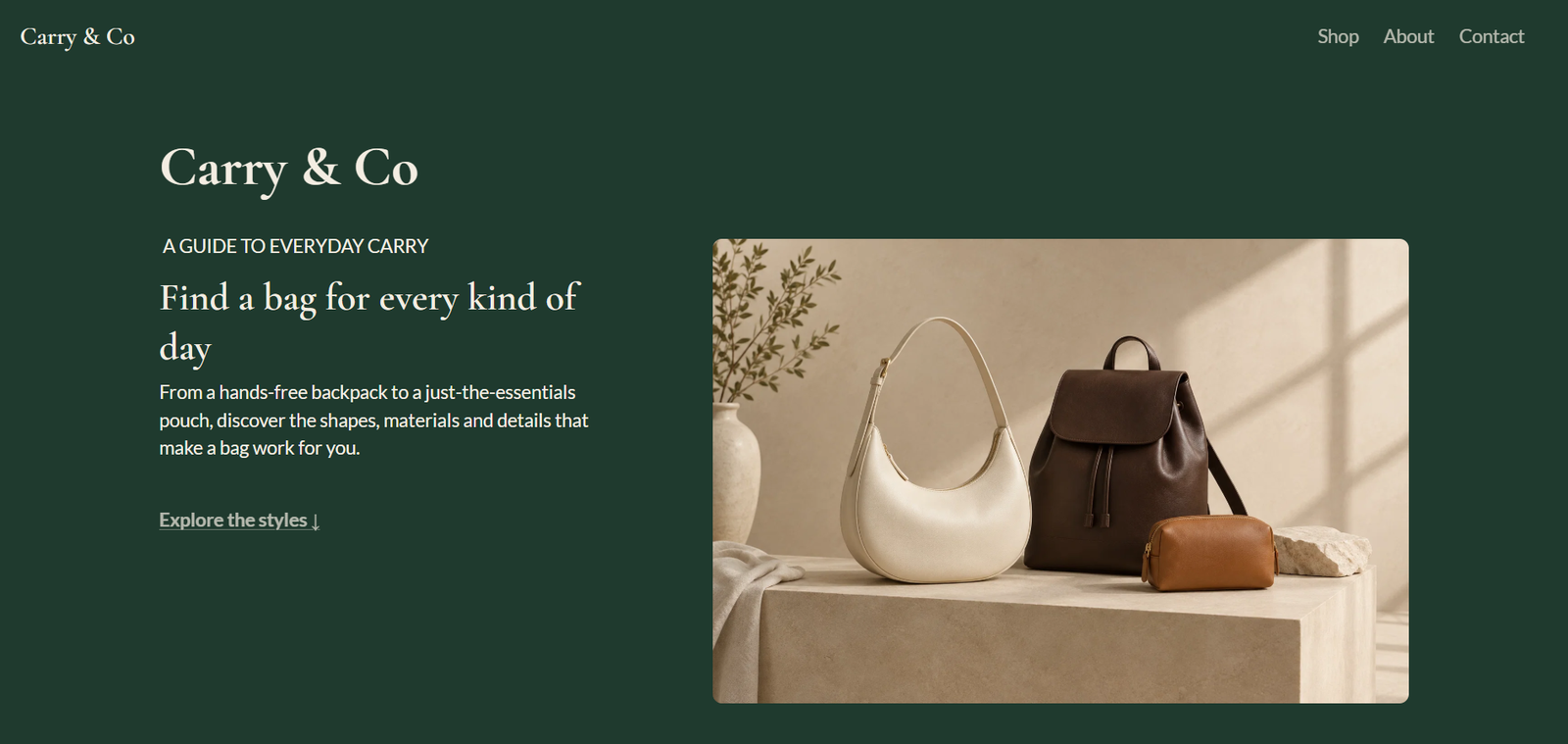
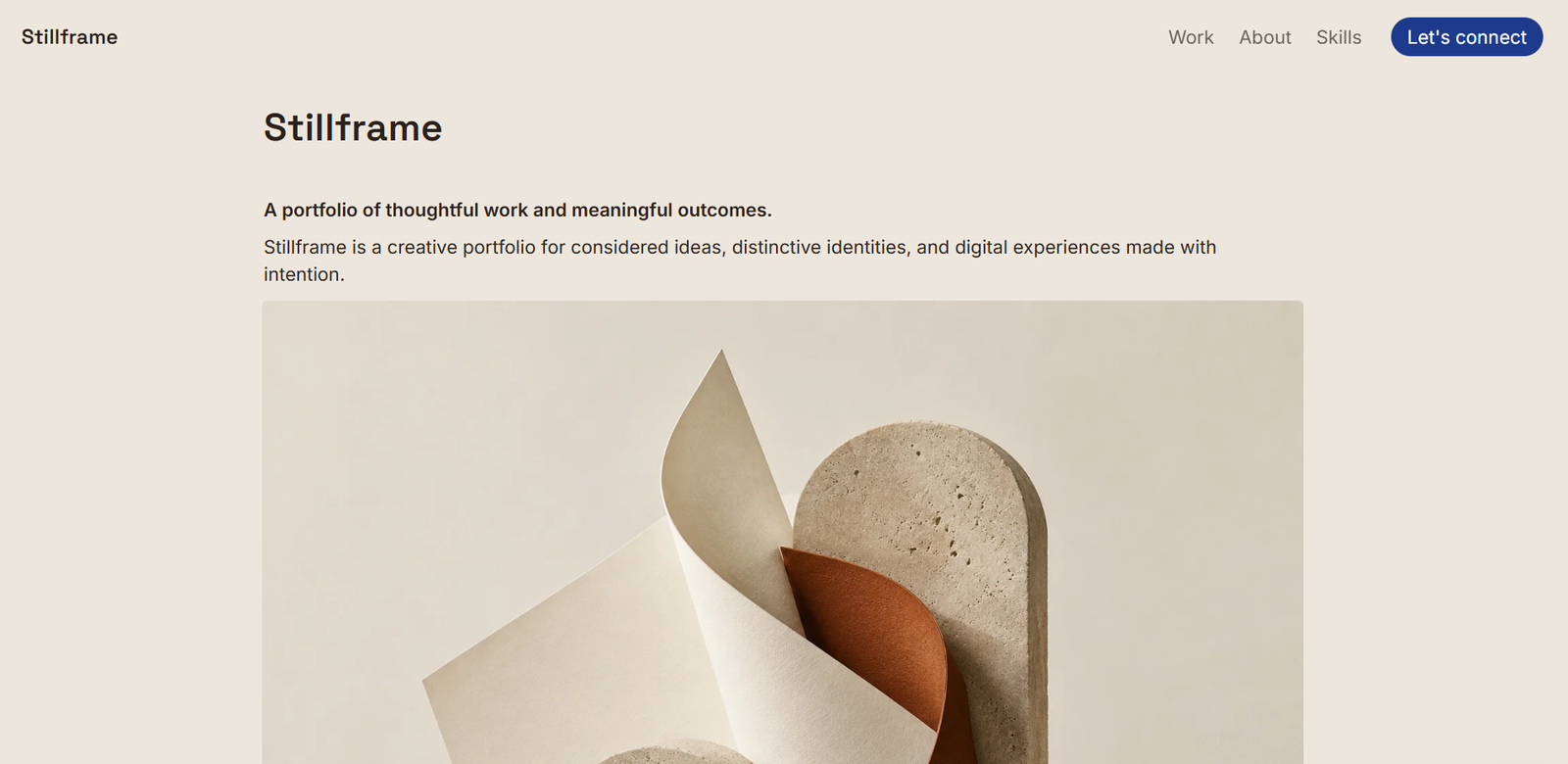
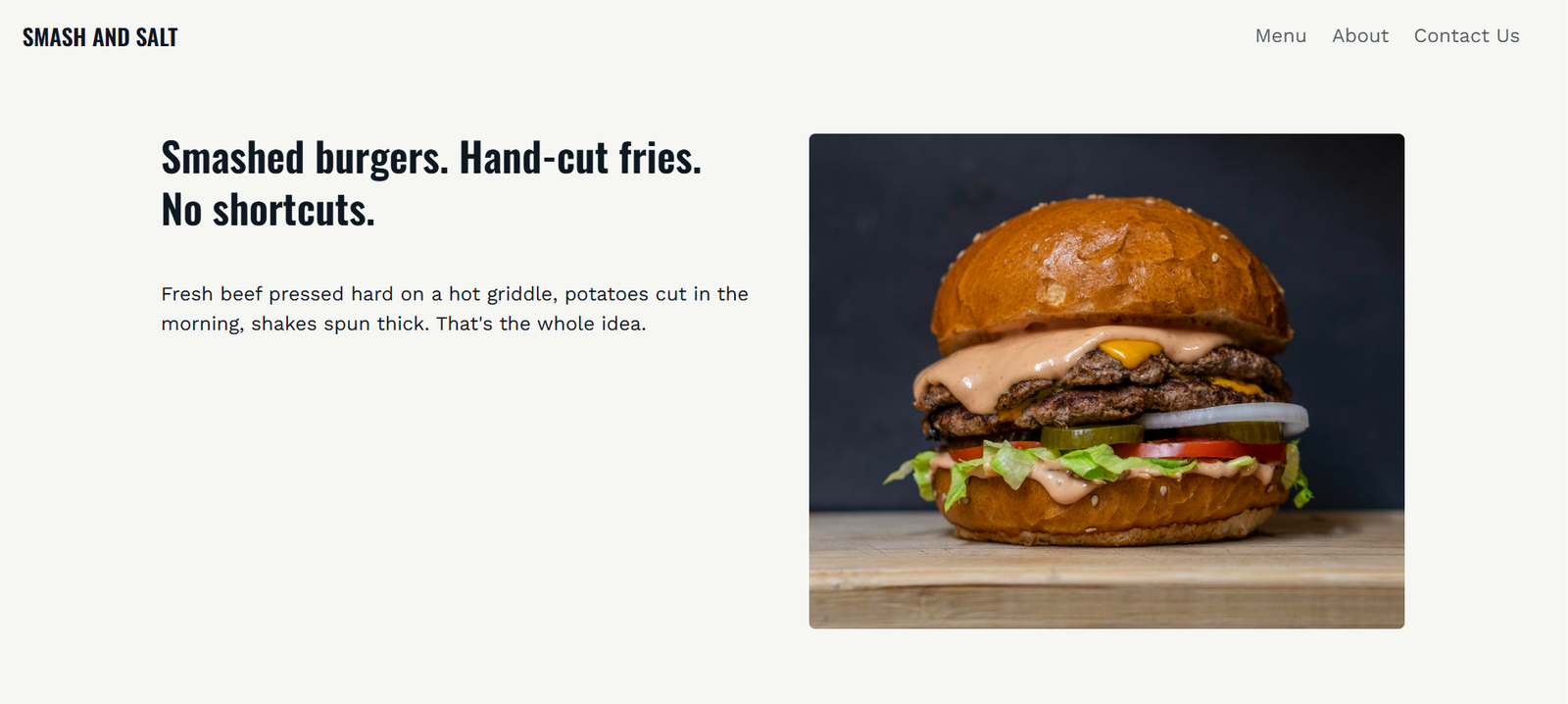
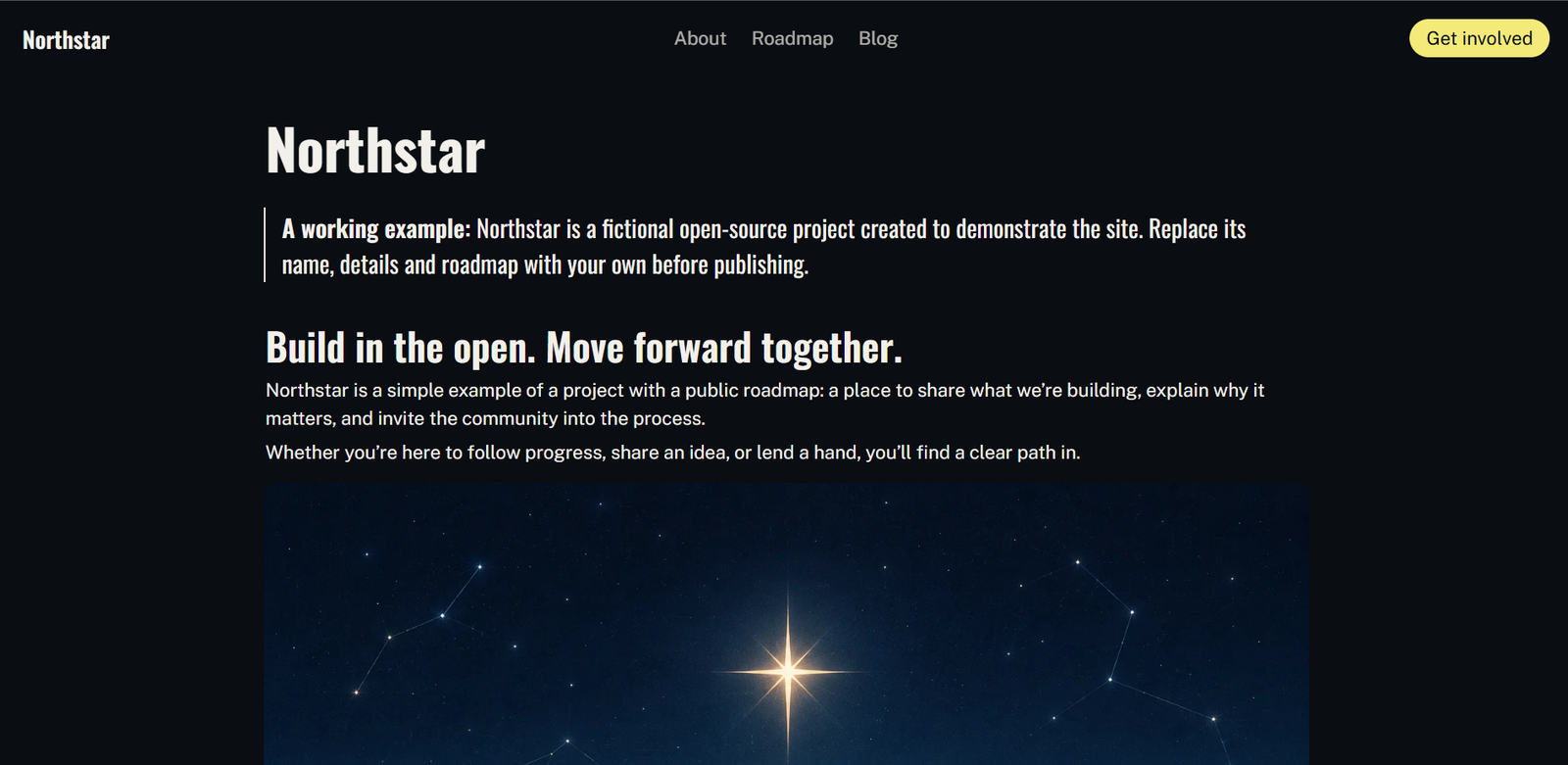
These are just a few examples of what you can experiment with. You can take the same approach and apply it to almost any type of business or personal website.
Final Thoughts: You Don't Need to Be a Developer to Build Something Great
If there's one thing I learned from this experiment, it's that building a website doesn't have to be as complicated as I once thought.
My process was pretty straightforward:
- I started with a business idea.
- I connected Super MCP to my Notion tools.
- I asked Notion AI to create my website structure with the help of Super MCP.
- I published my Notion pages and created a site in Super.
- I used Super's In-App Chat to customize the design without writing code.
And that's it!
This approach is especially useful for beginners, small business owners, freelancers, and anyone who wants to establish an online presence but doesn't have an in-depth understanding of coding.
You can even start experimenting with a free Super site before deciding whether you need additional features or a paid plan.
Of course, AI won't always get everything right on the first try. You'll still need to review your content, provide clear instructions, and make adjustments along the way. But that's part of the fun!
So, if you've been putting off building your own website because you don't know how to code, maybe it's time to stop waiting. You don't need to be a developer to turn your ideas into something real. Start with an idea, get creative with AI, and let Super help you bring it to life. Your first website might be much closer than you think!